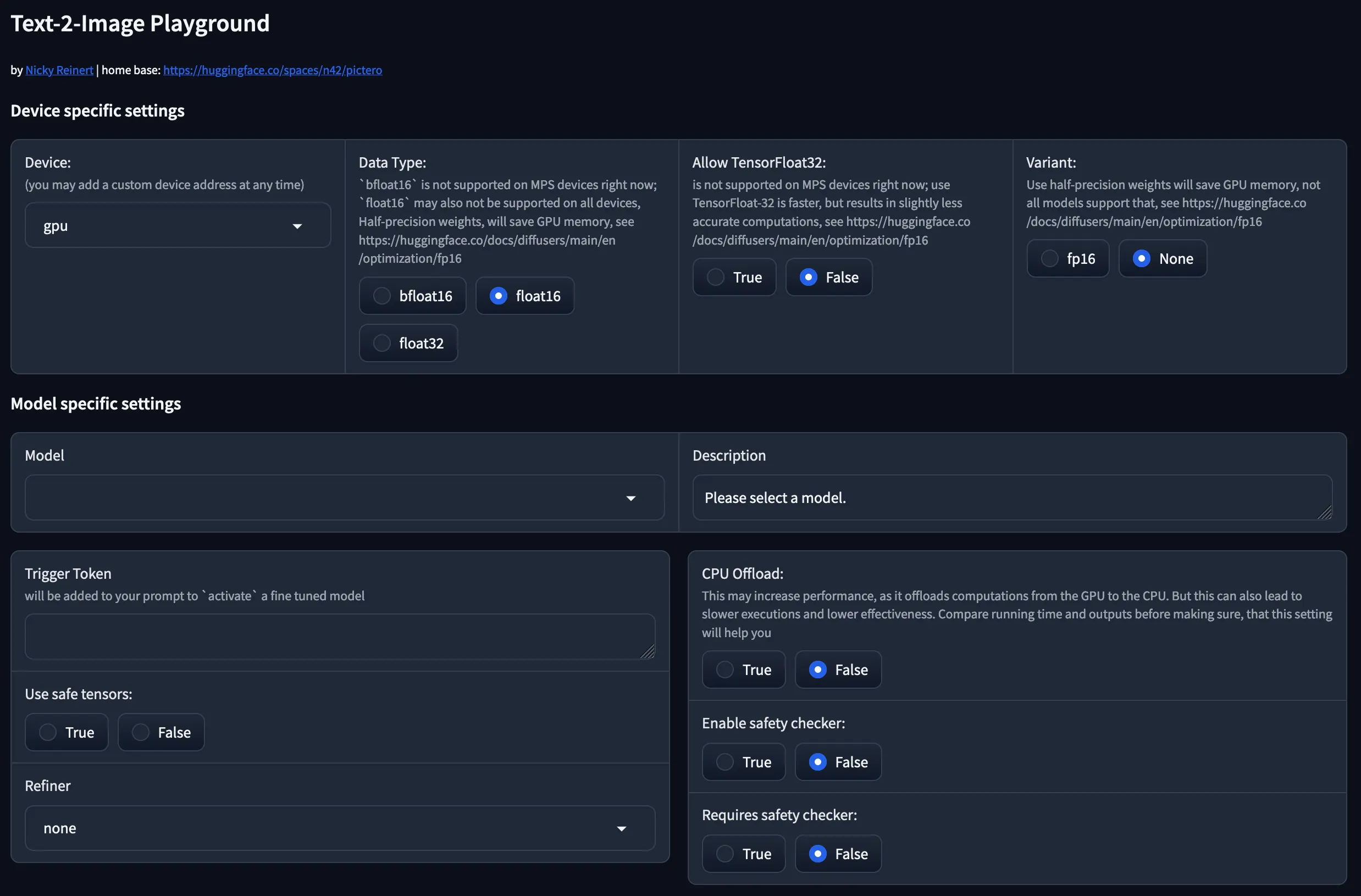
I am currently building some kind of playground for Huggingface’s text-2-image models. This app offers more than a dozen configuration parameters. The problem: Every time the user reloads the page, all parameters are gone. Here’s my solution to cope with that.
Gradio has a gr.Stateobject that allows you to persist values for the current user in the current tab. But as soon as you open another tab or even reload the page, your user’s setup is gone. While there’s also a gr.Request oject that allows you to access cookies, this only read cookies.
So right now there’s no easy way to achieve some kind of “persistent config” for your Gradio demo. But there’s a workaround: Gradio allows you to add custom JavaScript to your app, which is “barely” documented . As the implementation is not easy and it took me a while to find the solution, I’d like to share my findings:
- The Javascript
Let’s start with the JavaScript that takes care of writing the cookie. Put it into a variable and place it before your block definition to make it globally accessible:
1js = '''function js(){window.set_cookie = function(key, value){document.cookie = key+'='+value+'; Path=/; SameSite=Strict';return [value]}}'''
There’s one heads up! here: You have to wrap the actual function inside another function. You also need to make it globally available by attaching it to window. Let’s have a closer look at the important parts. The function head apparently requires the key and the value for your cookie:
1function(key, value){
2    document.cookie = key+'='+value+'; Path=/; SameSite=Strict';
3    return [value]
4}
You need those variables to properly set the cookie. The function must return values according to your Gradio element and event handler. In this case it expects one output variable only.
Done that, load your JavaScript into your demo using the js-argument this. The fn-argument refers to a Python function that later loads values from your cookies to assign them to your Gradio elements — wich needs to be addressed in outputs:
1 demo.load(fn=get_config, js=js, outputs=[element1])
- The event handler
Now you are ready to reference the cookie mechanism in your event handler:
1element1.change(fn=element1_change inputs=[element1], outputs=[], js="(value) => set_cookie('element1', value)")
Again, let’s go through it step by step:
The fn-argument simply refers to a Python function that somehow handles the value of element1. You don’t necessarily need it, depending on your setup. The inputs-argument is important, as it defines what values are moved through our pipeline. In this case just the value from element1. The js-argument now refers to your JavaScript function. (value) takes the value from the inputs-argument and gives it a name. I am passing this variable to my function and I also need to pass the element1 as a string which will be used as the key for the cookie, to identify it later —see set_cookie() requires a key and a value argument?
- Getting back the value
We now successfully wrote the value of an element to a cookie. Now we need to read this value when the user reloads the page or open it in another tab:
1def get_config(request: Request):
2  config = {"element1": "value1"}
3  for key in initial_config.keys():
4      if key in request.cookies:
5          config[key] = request.cookies[key]
6  return config["element"]
Again — step by step: In the function’s head we refer to Gradio’s Request object which allows us to read the cookies for this request. We then simply loop through all our config parameters, you may define as many as you want, according to your interface. If we find the particular cookie, we can set it’s value.
Finally we return the values. According to the outputs-argument from our demo.load( function (see above), we only return one value for one element.
- Final Thoughts
If you want to see the process in action, check out my text-2-image playground at Hugging face either directly via https://huggingface.co/spaces/n42/pictero or using the easier-to-remember-domain: https://pictero.com (yes, you can use your own custom domains on Huggingface’s spaces — it’s a simply frame-redir in my DNS configuration).
I am not only using the aboved described workaround to persist users’s configuration: I also implemented a sharing feature reading the configuration from the URL GET-parameter config and put it into my interface.
Have fun and leave your thoughts!